







Balancing Screens: Integrating Apps into Offline Interests
Almost everything in our lives is connected to the Internet and phones — so, forming healthy online habits can significantly increase your productivity and simplify your daily tasks.
Try to use content with care, so that you don't just quickly browse through news feeds, and it’s better to purposefully search for information to study or solve problems.
It’s useful to set a digital curfew — time when you put your devices aside, paying attention to sleep, socializing with people, or physical activity.
But at the same time, there’re really useful applications that have a direct impact on your hobbies and help you.
Coin ID Scanner
A user takes a picture right in the app, or uploading a photo from their gallery is possible too → it recognises the piece, it shows a detailed information card with coin prices.
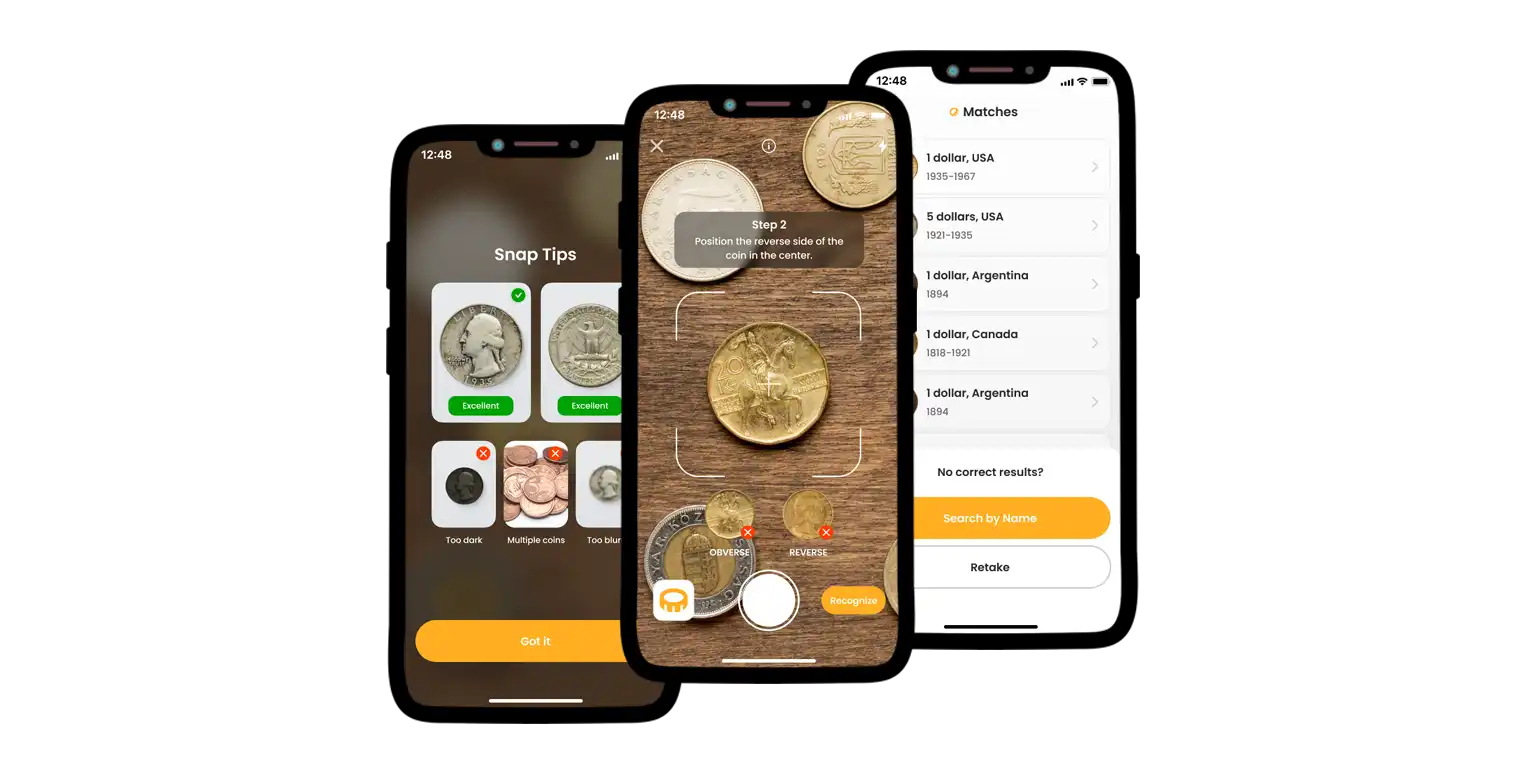


This card has important data, including the years of minting, the country of origin, the coin type, the edge characteristics, the metal composition, the size, the weight, and the estimated price.
The app also offers tools for managing your collection.
Users can add the coins they identify to their digital collection inside the app, making the process of listing and sorting easy.
The Coin ID Scanner database is large, containing more than 187,000 coins from all over the world. Manual search and searching by coin ID are also options.
Additionally, AI Coin Helper is built into the app, ready to give advice or answer questions about collecting coins.
AI Plant Finder
The app to identify plants is for people who love gardening and keeping house plants. The main function is identifying a plant from a photo. The user takes a picture of a plant, and the app tells them its species.
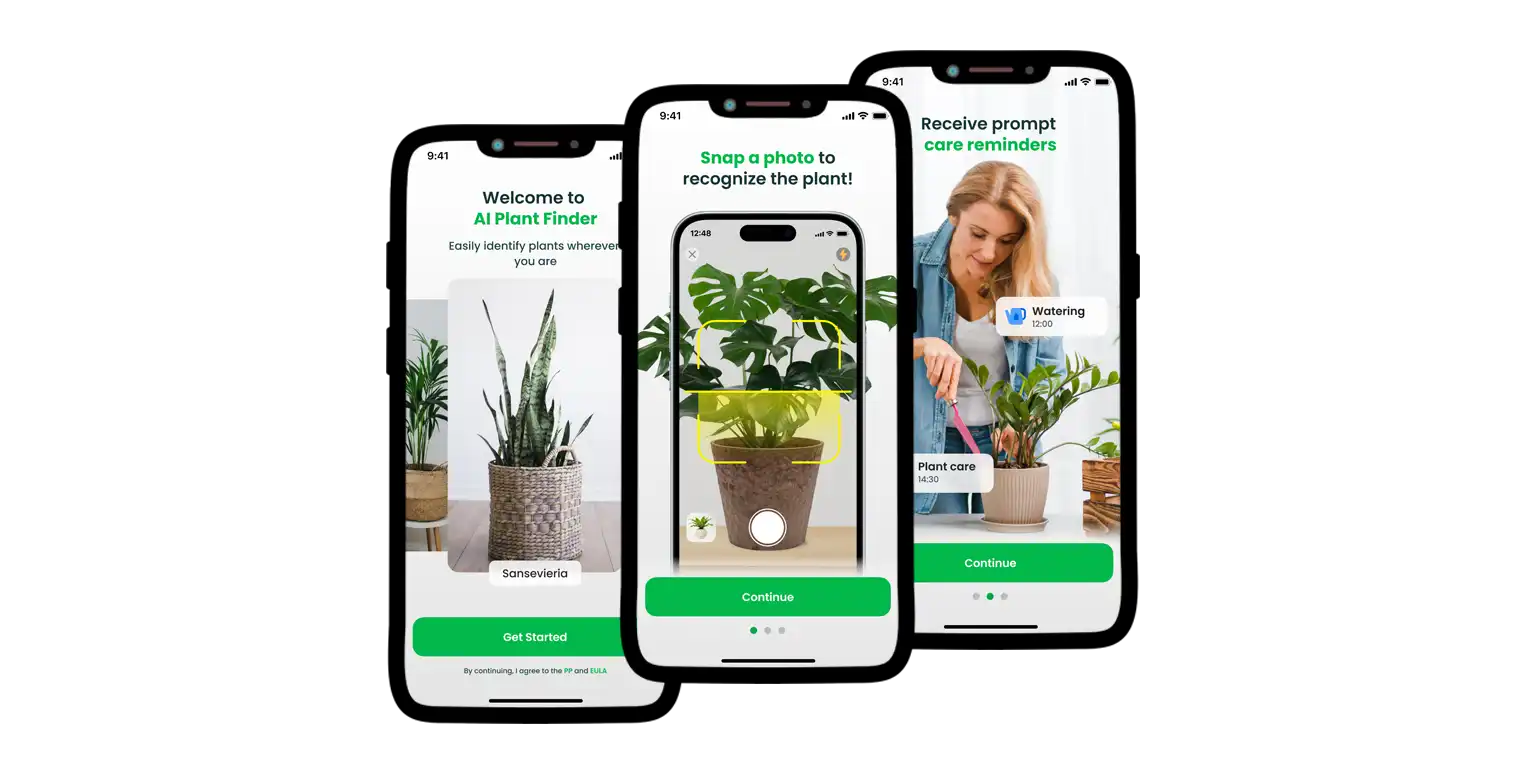
Also, the app can diagnose plant sicknesses, working from a photo. If the picture shows signs of illness, the app names the problem and gives possible causes.
Suggesting treatment plans and prevention methods, it helps the user save the plant.
The app’s database has information on more than 300,000 types of plants, serving as a big reference book. The app includes the My Garden Tool.
This feature lets users mark the plants they own, setting individual reminders for each.
These reminders include watering, pruning, adding fertilizer, and turning the plant for even light. The app also has a Water Calculator function. Calculating the necessary amount of water, it uses information like the plant type, pot size, temperature, and air humidity.
Furthermore, there’s a Light Meter, determining the current light in lux using the phone's camera.
Number Tracker
The phone tracker app is for checking the location of devices and people. It mainly works to keep family and friends safe.
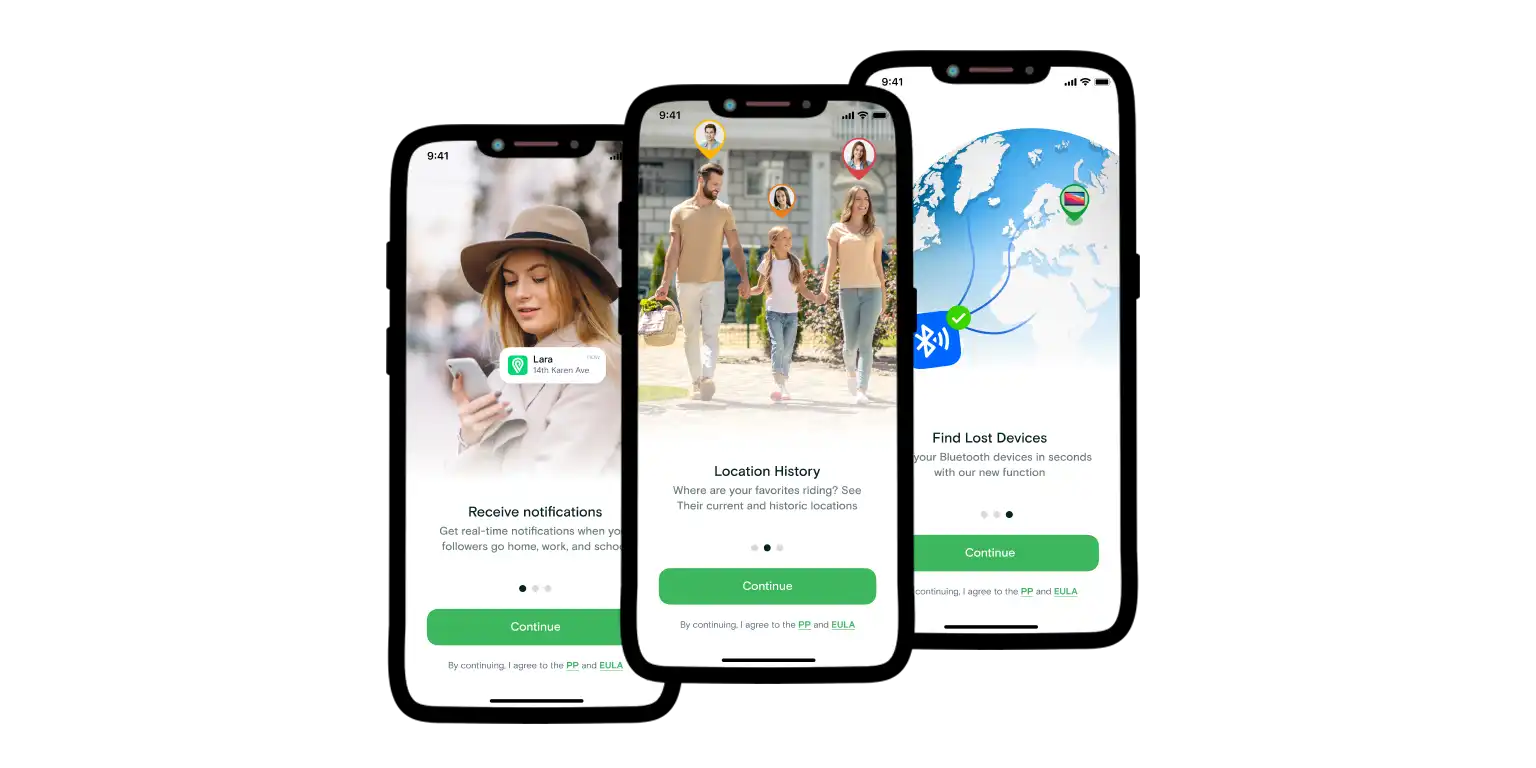
The main features involve creating Circles and adding Places on the map, noting that the number of these may be limited in the free version.
Inside the Circles, users can see the location of their friends, family members, children, or older relatives. This’s the main Friend’s Location function.
The app also helps find devices, allowing you to add them to your favourites list. Showing the signal strength helps the user find the item's location more exactly.
For sharing current location information, there’s a Fast Check-In feature. Letting the user quickly check in on the map, it shows all Circle members where the person is.
Also, there’s a Fast Request by Number feature for quick information requests, allowing the user to see past movements, the Movement History feature is also available.
Conclusion
Implementing healthy online habits into your daily life is a small start, but it yields significant long-term results.
You use special apps like Coin ID Scanner, AI Plant Finder, and Number Tracker to help in certain areas. It’s also better to develop common habits in the field of digital hygiene and time management.
For example, developing the habit of completing tasks in batches. By setting a fixed time to respond to all messages, you will stop being distracted by each new notification.
This ensures the safety of all your important information in the event of a malfunction or loss of the device.
Try to make a habit of checking information carefully, making sure to check sources before believing news or articles.
By reducing clutter and saving time, they allow you to manage your digital activities more thoughtfully.
Recent post
-
 Top-5 Countries to Travel Discover why Italy, Spain, and France lead the world in tourism. Our in-depth article examines the unique blend of cultural heritage, stunning landscapes, and innovative tourism practices that make th...
 -
 Australia: How to Travel Cheap Uncover the secrets of traveling through Australia on a budget with our comprehensive guide. Learn how to navigate transportation, find affordable accommodation, and enjoy Australia's top attractions ...
 -
 Choosing the Perfect Campsite Get ready for an unforgettable camping experience with our essential tips and insights. From choosing the perfect campsite to meal preparation, safety considerations, and Leave No Trace principles, Vo...
 -
 Traveling Solo? Here’s How Location Tracking Apps Keep You Safe Explore the benefits of location tracking apps for solo travelers. Learn how real-time sharing, SOS features, and geofencing can ensure your safety and enhance your travel experience. Stay safe and tr...
 -
 1983 Penny Details That Make Its Price Auction-Level Explore what makes certain 1983 pennies worth thousands. Learn how to identify copper transitional errors, doubled die varieties, and high-grade examples. Includes at-home evaluation steps and digital...